Analytics11 min read • 2,201 words

Time on Tour, Sessions, and Intent Signals: Advanced 3D Tour Metrics Explained

Master advanced 3D tour metrics including time on tour, session analysis, and intent signals. Learn how to interpret tour data for better real estate marketing decisions.
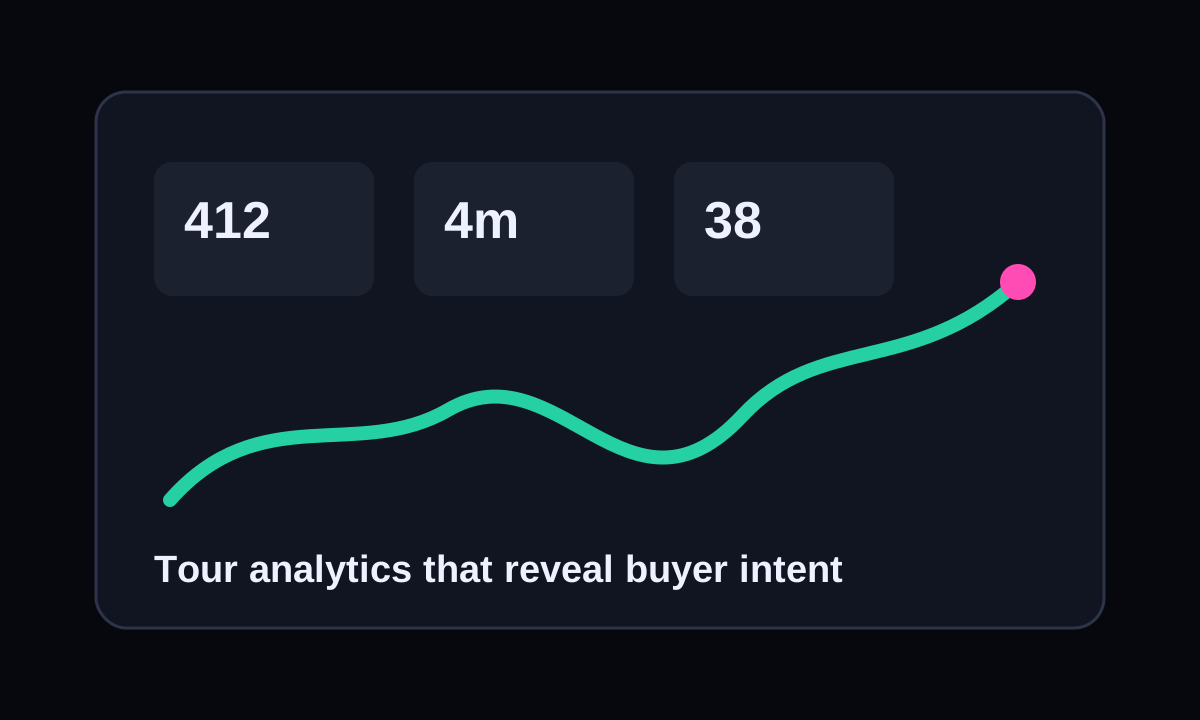
SceneHost guide illustration for Time on Tour, Sessions, and Intent Signals: Advanced 3D Tour Metrics Explained

Key Takeaways

  • Advanced 3D tour metrics go beyond view counts to reveal buyer intent through time-on-tour analysis, session tracking, navigation pattern analysis, and behavioral scoring.
  • Key metrics include: average session duration (3:18 industry average), return session rate (20-30% for serious buyers), room-level heatmaps, scroll depth in tour pages, and composite intent scores that predict conversion probability.
  • Agents who master these metrics gain a significant competitive advantage in lead qualification and marketing optimization.

TL;DR

Advanced 3D tour metrics go beyond view counts to reveal buyer intent through time-on-tour analysis, session tracking, navigation pattern analysis, and behavioral scoring. Key metrics include: average session duration (3:18 industry average), return session rate (20-30% for serious buyers), room-level heatmaps, scroll depth in tour pages, and composite intent scores that predict conversion probability. Agents who master these metrics gain a significant competitive advantage in lead qualification and marketing optimization.

Beyond Views: Why Advanced Metrics Matter

Basic tour analytics tell you how many people saw your tour. Advanced metrics tell you what those people thought, felt, and intended. This distinction transforms tour data from a vanity metric into a competitive intelligence system. Consider two scenarios. Listing A receives 500 views with an average time of 45 seconds. Listing B receives 200 views with an average time of 5 minutes 30 seconds. Basic analytics suggest Listing A is more successful. Advanced metrics reveal Listing B has generated far more qualified buyer interest. The 200 viewers who spent 5+ minutes each represent serious prospects. The 500 viewers who spent 45 seconds each were likely casual browsers or clicked accidentally. Advanced metrics also enable predictive insights. By analyzing patterns across hundreds of tours, you can identify which viewer behaviors predict future actions. Viewers who return 3+ times, spend 4+ minutes per session, and revisit specific rooms have 80%+ probability of requesting a showing within 7 days. Viewers who view once for under 2 minutes and never return have less than 5% conversion probability. This predictive capability prioritizes your follow-up efforts. Instead of treating all leads equally, you focus energy on high-intent prospects and automate nurturing for low-intent contacts. The result: higher conversion rates, less wasted time, and better client experiences.

Time on Tour: The Foundation Metric

Time on tour is the single most reliable indicator of buyer interest. It is simple to measure, easy to understand, and strongly correlated with conversion outcomes. Industry benchmarks provide context. Under 60 seconds: the viewer is likely a casual browser, competitor research, or accidental click. These viewers have minimal purchase intent. 1-2 minutes: mild interest. The viewer explored enough to understand the basic layout but did not engage deeply. They may be early in their search or comparing multiple properties. 2-4 minutes: moderate interest. The viewer explored multiple rooms and spent time understanding the property. They are a potential lead but may need nurturing. 4-6 minutes: strong interest. The viewer engaged thoroughly with the property, revisiting key areas. They are a qualified prospect deserving prompt follow-up. Over 6 minutes: very strong interest. These viewers are seriously considering the property. They may be measuring spaces, imagining furniture placement, or sharing with family. Immediate follow-up is essential. Time on tour varies by property type. Luxury properties naturally generate longer engagement because there is more to explore. Small condos generate shorter engagement because the space is limited. Compare each listing's time-on-tour against similar properties, not against the overall average. Track time distribution, not just the average. A listing with an average of 3 minutes might have 50% of viewers spending under 1 minute and 50% spending over 5 minutes. This bimodal distribution suggests the property strongly appeals to a specific buyer segment while repelling others. Use this insight to refine your targeting. Time on tour also correlates with listing quality. If engagement time is consistently low across your listings, the issue may be capture quality, starting viewpoint selection, or property preparation rather than buyer interest.

Session Analysis: Separating Browsers from Buyers

A session is a continuous period of tour engagement. Analyzing session patterns reveals buyer intent more accurately than single-session metrics. Single-session viewers account for 60-70% of total viewers. They visit once, spend 1-3 minutes, and do not return. Most single-session viewers are early-stage browsers or casual lookers. They have minimal immediate value but may convert over longer nurturing cycles. Multi-session viewers are the goldmine. A viewer who returns 2+ times is actively evaluating the property. Return sessions indicate the property passed an initial screening and warranted further consideration. Two-session viewers represent warm prospects. They returned to review details, share with someone, or compare against other properties. Follow up within 48 hours with additional information. Three-session viewers represent hot prospects. They are seriously interested and likely close to requesting a showing. Follow up within 24 hours with a direct showing offer. Four-plus session viewers are your hottest leads. They may have measured spaces, evaluated renovations, or received family approval. Call immediately. Session intervals also matter. A viewer who returns within 24 hours is acting urgently. They may have a specific move timeline or competitive pressure. A viewer who returns after 7 days is methodically evaluating options. They need different follow-up approaches. Session source tracking reveals which channels produce the most engaged viewers. If Facebook drives 100 views with 1.2 average sessions and your website drives 50 views with 2.8 average sessions, your website traffic is more valuable despite lower volume. Reallocate marketing spend accordingly.

Intent Scoring: Predicting Conversion from Behavior

Intent scoring combines multiple behavioral signals into a single predictive metric. A well-designed scoring system helps you prioritize leads, optimize follow-up timing, and allocate marketing resources. Here is a proven scoring framework for real estate tour analytics. Time score: 1 point per minute of total engagement, capped at 20 points. A viewer with 8 minutes of total time scores 20. Session score: 5 points per return session beyond the first. A viewer with 3 sessions scores 10. Depth score: 2 points per room explored, capped at 20 points. A viewer who visits 10 rooms scores 20. Revisit score: 5 points per room revisited. A viewer who returns to 3 rooms scores 15. Recency score: 10 points if the last session was within 24 hours, 5 points if within 7 days. Source score: 5 points for direct traffic, 3 points for organic search, 2 points for social media. Lead bonus: 25 points for submitting a contact form. Total possible score: 100+ points. Scoring interpretation: 80-100 points equals hot lead. Immediate phone follow-up. 60-79 points equals warm lead. Email with showing offer within 24 hours. 40-59 points equals interested browser. Add to nurture sequence. Under 40 points equals casual visitor. Long-term drip campaign. This scoring system is not hypothetical. Agents who implement intent scoring report 30-40% improvement in lead-to-showing conversion rates because they focus energy on genuinely interested prospects rather than treating all contacts equally.

Building Your Advanced Analytics Practice

Implementing advanced analytics requires the right platform, consistent processes, and disciplined review. Platform selection matters. Not all tour platforms offer advanced analytics. Look for platforms that provide session tracking, room-level engagement data, heat mapping, and API access for custom analysis. SceneHost includes comprehensive analytics with session tracking, time-on-tour metrics, and lead source attribution on all paid plans. Set up automated reporting. Weekly email reports with key metrics save time and ensure consistent monitoring. Configure alerts for significant events: lead submissions, engagement milestones, and traffic spikes. Create comparison baselines. Track average metrics across all your listings to establish personal benchmarks. Compare individual listings against these baselines to identify outliers. Review analytics in weekly team meetings. Make tour performance a standard agenda item. Discuss which listings are overperforming, which are underperforming, and what actions to take. Train assistants to monitor analytics and flag opportunities. A transaction coordinator who checks tour stats daily can alert you to hot leads before they go cold. Integrate with your CRM. Push tour engagement data into your contact records for a unified prospect view. When you call a lead, you should know which properties they toured, how long they spent, and which rooms interested them most. Advanced analytics separate professional agents from amateurs. The data is available. The insights are actionable. The only barrier is building the habit of using them.

Frequently Asked Questions

Q: Which analytics platform is best for advanced tour metrics?

A: SceneHost provides comprehensive analytics including session tracking, time-on-tour, device breakdown, and lead attribution. For custom analysis, look for platforms with API access that allows data export to your preferred analytics tools.

Q: How often should I review tour analytics?

A: Review analytics weekly for performance trends. Check daily for new leads and significant events. Set up automated alerts so you never miss a hot prospect.

Q: Can I track individual viewer behavior?

A: You can track anonymous session behavior including navigation paths, time spent, and return visits. Personal identification requires the viewer to submit a lead form or log in. Anonymous tracking complies with privacy regulations.

Q: What is a good return session rate?

A: A 20-30% return session rate indicates strong buyer interest. Below 15% suggests the property is not compelling enough to warrant second looks. Above 40% indicates a highly desirable property that may receive multiple offers.

Q: How do I use intent scores in practice?

A: Use intent scores to prioritize daily follow-up. Call hot leads first. Email warm leads second. Add interested browsers to nurture sequences. Review scores weekly to identify trends and adjust your scoring model.

Q: What tools integrate with tour analytics?

A: Most platforms offer Zapier integrations for connecting to CRMs, email marketing tools, and Slack. API access enables custom integrations with business intelligence tools like Tableau or Google Data Studio.

Q: Should I share analytics with sellers?

A: Yes, but at the right level of detail. Share total views, engagement time, and lead count as marketing proof. Keep detailed navigation patterns and intent scores for your internal strategy.

SceneHost Implementation Notes

For SceneHost, the practical lesson is that this topic should be treated as a workflow, not a one-off feature. A real estate team needs a repeatable path from capture to publishing to follow-up. That means the product must make the next step obvious after every upload: confirm the media, process the asset, publish the hosted tour, share the link, watch engagement, and turn serious viewers into appointments or leads.

This is also why analytics content should connect directly to business outcomes. Agents do not buy software because the underlying file format is interesting. They buy it because it helps them win listings, reduce wasted showings, give sellers confidence, and move buyers faster from curiosity to action. Every SceneHost page should translate technical capability into those plain commercial benefits.

The recommended implementation is to pair each hosted tour with a simple checklist: capture quality, property description, lead form, embed placement, analytics review, and seller reporting. When those steps sit in one dashboard, SceneHost becomes more than a viewer. It becomes the operating layer for modern property marketing.

The SEO opportunity is equally important. Search demand around advanced 3D tour metrics, time on tour analytics, tour session tracking, intent signals virtual tour is fragmented across practical questions, comparison queries, and implementation problems. SceneHost can win by answering those questions in depth and then showing the reader exactly how the platform solves the workflow. That is the role of this guide in the broader content library.

For teams evaluating the category, the safest next move is to test the workflow on one active listing or rental. Record a normal walkthrough, publish the hosted 3D tour, send it to prospects before booking showings, and compare the quality of follow-up conversations. If fewer unqualified visitors request access and more serious viewers engage, the value becomes visible quickly.

A final operational benefit is consistency. When every listing, rental, or short-let uses the same capture checklist, hosted viewer, lead form, and analytics model, teams can compare performance across properties instead of guessing. That makes SceneHost useful to a solo agent, but it also gives brokerages and property managers a standard system they can train, measure, and improve over time.

The strongest rollout plan is simple: start with a high-interest property, publish the tour, add the link to every listing channel, and review engagement after the first week. Use the numbers to refine capture quality, listing copy, seller reports, and follow-up timing. That feedback loop is what turns 3D tours from a marketing extra into part of the sales process.

Create a hosted 3D property tour from your next walkthrough.

Upload normal property video, images, or a raw splat file. SceneHost handles conversion, hosting, embeds, analytics, and lead capture.

Upload a capture